
YETI - AI Customization
•
YETI - AI Customization •
Overview
YETI Customizer: Scaling Personalization with Generative AI
Designed an end-to-end generative AI feature for the YETI Customizer platform that translates personalized text prompts into high-fidelity, laser-ready designs. This feature empowers users to create entirely unique, production-grade custom drinkware. By providing unlimited user creativity, it delivered a measurable lift in customization completion rates.
As a UX/UI Designer at YETI, I lead design initiatives for a variety of high-visibility, site-wide consumer experiences. My role spans the entire product lifecycle—from initial ideation and wireframing to delivering precise design and development specifications. I collaborate closely with engineering teams throughout the build and QA phases to ensure design integrity, while partnering with the Senior UX/UI Design Manager to align our work with overarching brand and user experience strategies.
Role: Lead UX/UI Designer
Team: UX/UI Design Manager, Digital Product Manager, Customization Team, Development Team, Brand Marketing Team
Year: 2024-2025
Project Type: Project lead, New Feature, UX/UI Design, Interaction Design, User Centric Design, Animation, Prototyping
The Design
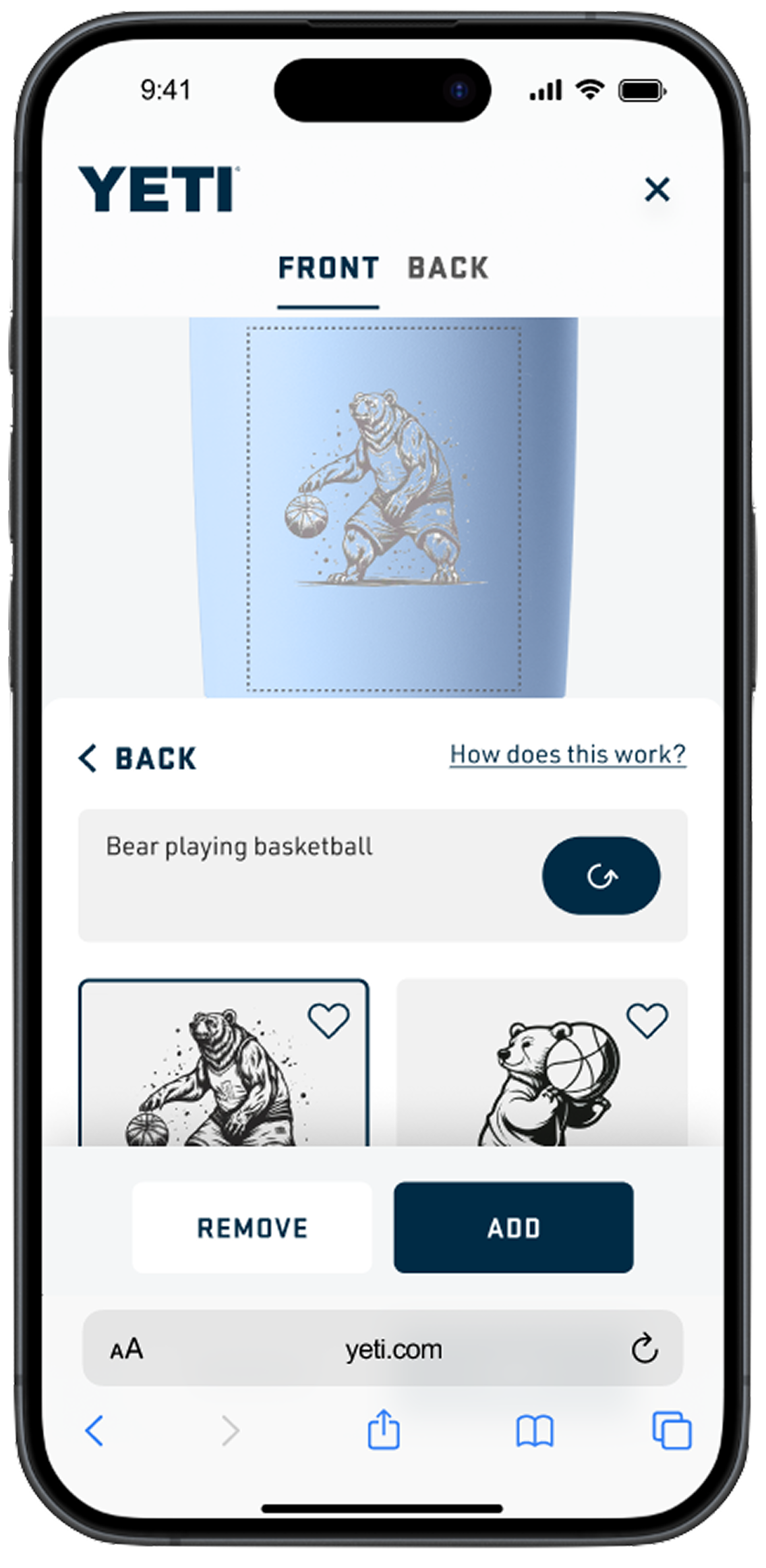
This generative AI feature allows users to create bespoke artwork simply by entering personalized text prompts. To optimize the experience within our existing technical framework, the interface generates up to four distinct design variations per prompt, with an option to iterate or refresh.
Ai Customization Entry from Customizer
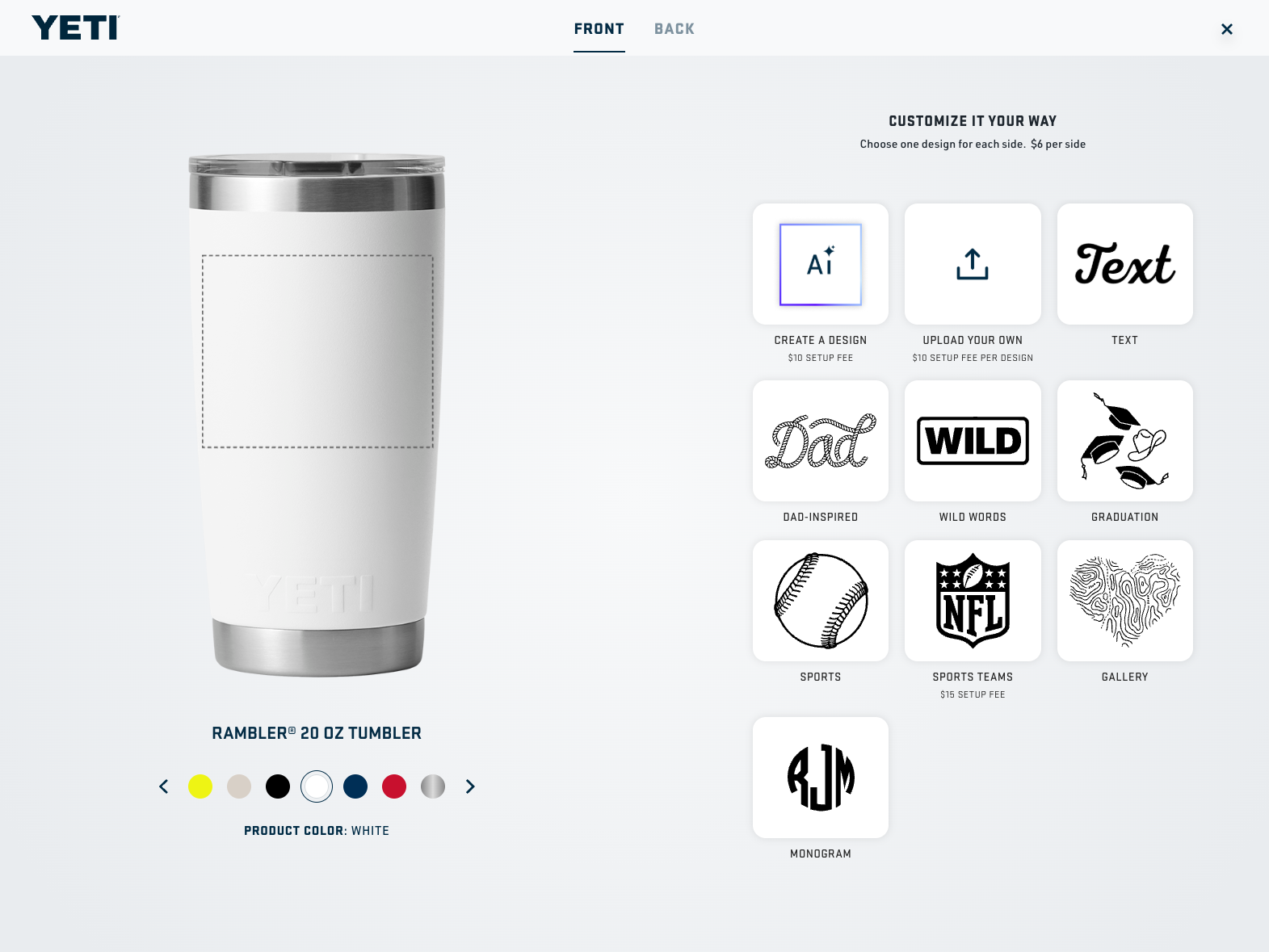
Once users are in Customizer, they can select “create a Design” tile to start using Generative AI. I also designed the Gen AI icon with gradient outline.
Ai Customization Home Screen
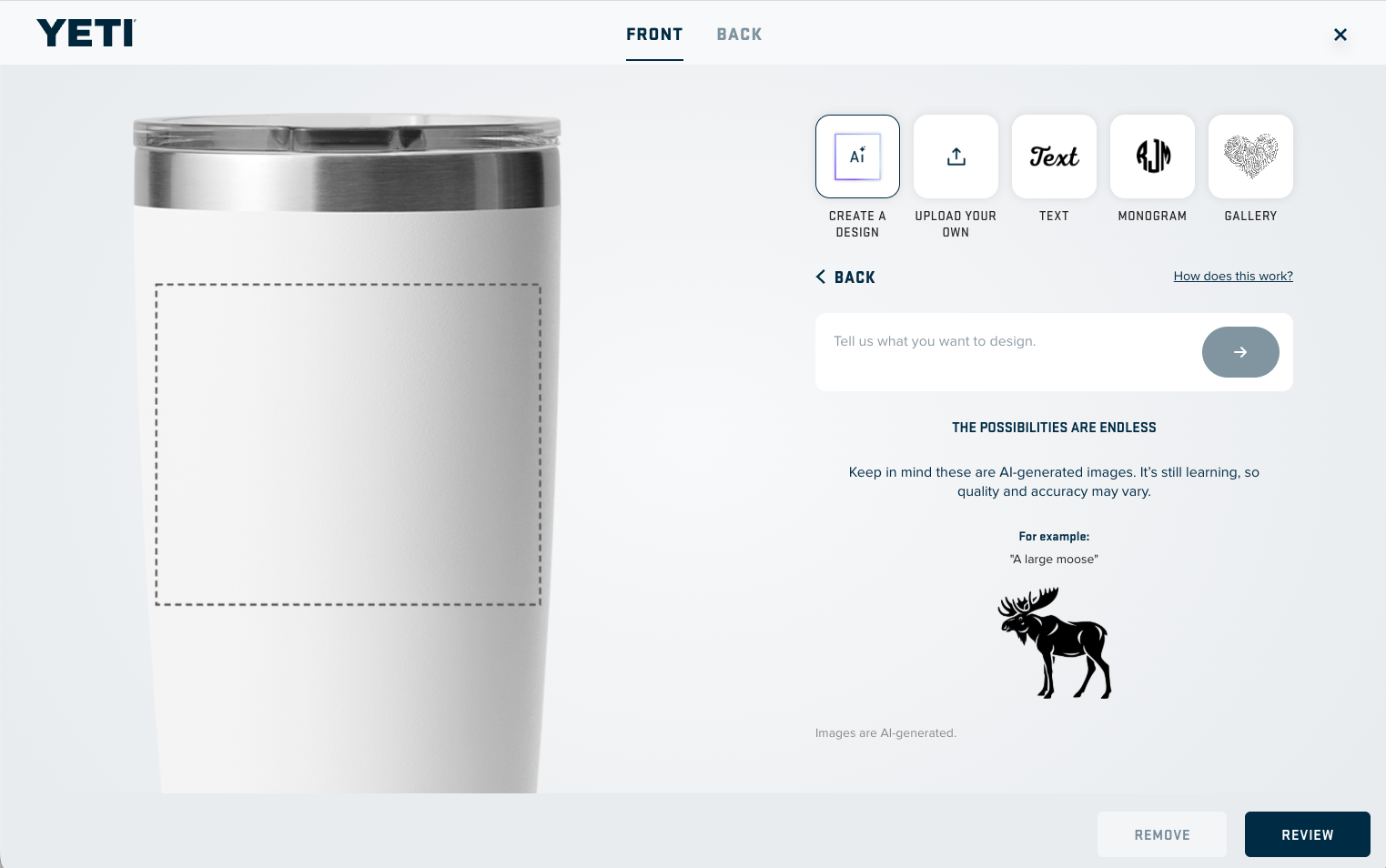
Users are greeted with an intuitive text input field accompanied by rotating prompt examples and animated GIFs of design results. This provides inspiration and guides users on how to craft effective prompts.
Loading Screen while design generation
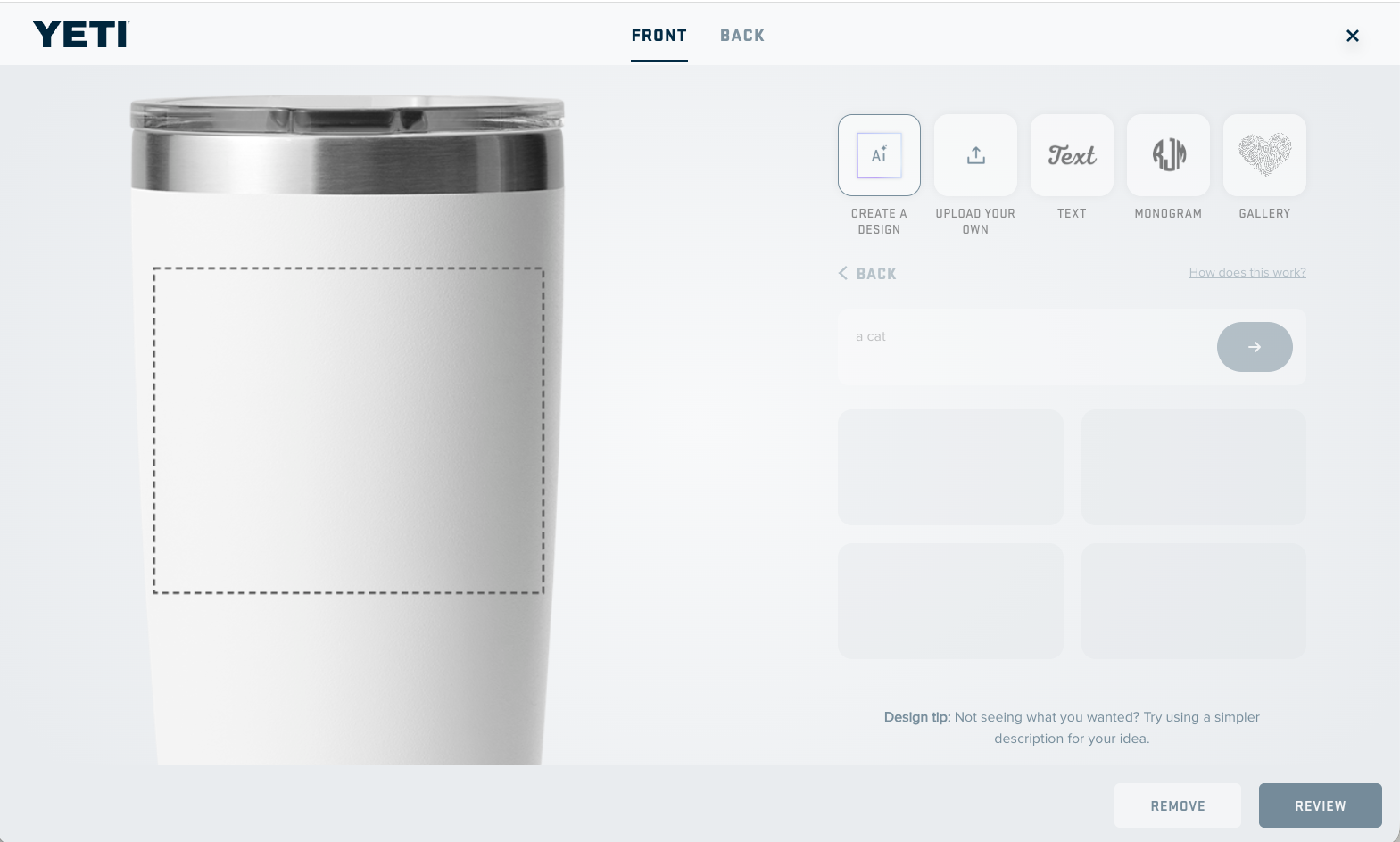
To mitigate perceived latency during the AI generation process, I designed a dynamic loading state. While the system renders the artwork, the interface surfaces custom animations paired with contextual tips on how to craft better GenAI prompts, keeping the user engaged and educated.
Gen AI Entry from Customizer
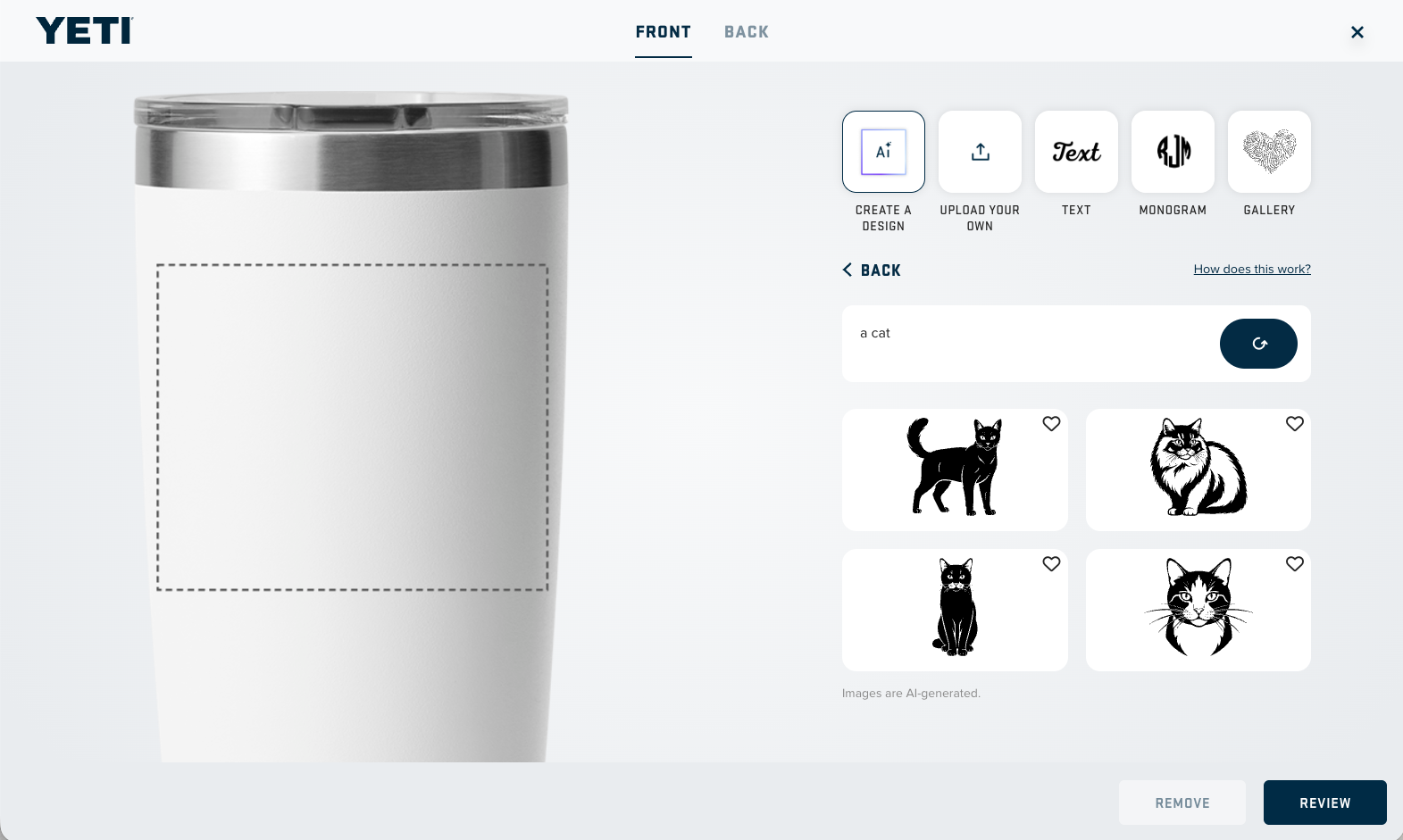
Users will get up to 4 AI generated designs each session. Users can use the same prompt and refresh the result, or enter completely new prompts. Users can also save designs by clicking the save icon.
Takeaways
As the design lead for this initiative, this project represented a major milestone in driving end-to-end product strategy—from initial ideation through development—in close partnership with the core Customizer team. Designing for generative AI unlocked a brand-new skillset for me, pushing me to solve complex, non-linear UX challenges like prompt optimization and perceived performance. Furthermore, embedding myself in the rigorous QA process deeply enhanced my engineering empathy and gave me invaluable insight into the development pipeline. Ultimately, it was an incredibly rewarding journey that allowed me to elevate my UX practice while delivering a highly collaborative, cutting-edge feature.
This is just the start, more improved and re-designed version will come soon!